What is Exchange ActiveSync? A Complete Guide to Mobile Email Synchronization
Learn how Exchange ActiveSync (EAS) enables mobile devices to synchronize email, calendar, contacts, and tasks with Microsoft Exchange servers.
If you've ever set up a work email account on your smartphone and watched as your calendar appointments, contacts, and emails appeared automatically, you've experienced Exchange ActiveSync in action. This Microsoft-developed protocol has been the backbone of enterprise mobile email since 2002, enabling seamless synchronization between mobile devices and Exchange servers. Understanding how Exchange ActiveSync works is essential for IT professionals managing corporate email environments and for anyone who wants to understand the technology behind their mobile email experience.
In this guide, we'll explore what Exchange ActiveSync is, how it works, its evolution over the years, and why Microsoft's recent announcement about deprecating older EAS versions matters for organizations worldwide.
What is Exchange ActiveSync?
Exchange ActiveSync (EAS) is a proprietaryProprietary📖Software owned by a company with restricted access to source code. synchronization protocol developed by Microsoft that enables mobile devices to access and synchronize email, calendar events, contacts, tasks, and notes from a Microsoft Exchange server or Exchange OnlineExchange Online🌐Microsoft's cloud-based email and calendaring service, part of Microsoft 365Microsoft 365🌐Microsoft's subscription-based cloud productivity suite including Office applications, Exchange Online, SharePoint, and Teams., that hosts mailboxes in Microsoft's data centers. (Microsoft 365). Unlike traditional email protocols like POP3 or IMAP, which primarily handle email retrieval, EAS provides a comprehensive synchronization solution that keeps all your data in sync across multiple devices in real-time.
The protocol operates over HTTPS (HTTP Secure), making it firewallFirewall🌐Security system that monitors and controls network traffic based on predetermined rules.-friendly and secure for transmission over the internet. When you configure a mobile email account using Exchange ActiveSync, your device establishes a connection to the Exchange server and maintains synchronization based on your configured settings—whether that's real-time push notifications, scheduled intervals, or manual synchronization.
Key Features of Exchange ActiveSync
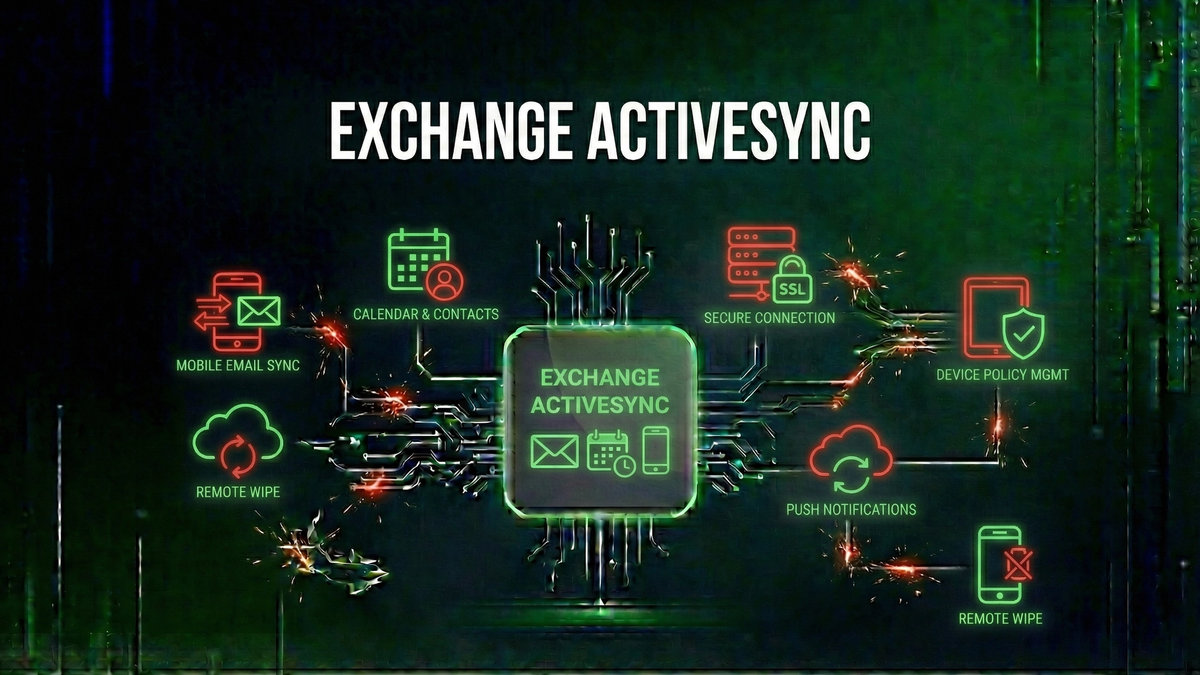
Exchange ActiveSync offers several capabilities that make it the preferred choice for enterprise mobile email:
How Does Exchange ActiveSync Work?
Exchange ActiveSync uses a request-response model over HTTPS to communicate between your mobile device and the Exchange server. When you first configure an Exchange account on your mobile device, the device uses Microsoft's AutodiscoverAutodiscover🌐A Microsoft service that automatically configures email client settings by querying DNS records to locate the Exchange server. service to locate the correct server settings automatically.
Direct Push: Real-Time Email Delivery
One of EAS's most valuable features is Direct Push, which enables real-time email delivery without constant polling. The device opens an HTTPS connection to the server and sends a "Ping" request. The server holds this connection open for up to 15 minutes. If new content arrives during this time, the server immediately responds, and the device can retrieve the new data.
Exchange ActiveSync vs. Other Email Protocols
IMAP (Internet Message Access Protocol) is an open standard for email access, but it doesn't synchronize calendars, contacts, or tasks—those require separate protocols like CalDAV and CardDAV. EAS handles all of these with a single protocol. POP3 downloads emails to your device and typically deletes them from the server, while EAS maintains emails on the server and syncs them across all your devices.
Exchange ActiveSync Version History
Exchange ActiveSync has evolved significantly since its introduction in 2002. Key versions include EAS 12.0 (2006) which introduced Direct Push and remote wipeRemote Wipe🛡️An MDM capability that allows administrators to erase data from a lost or stolen mobile device remotely., EAS 14.0 (2009) with improved policy enforcement, and EAS 16.1 (2016) which is now the minimum required version for Exchange Online starting March 2026.
Security Features in Exchange ActiveSync
EAS includes robust security features for enterprise environments. Administrators can enforce device policies including encryption requirements, password complexity, and automatic screen lock. Remote wipe capabilities allow erasing data from lost or stolen devices. All communication occurs over HTTPS with TLS encryption.
The March 2026 Protocol Requirement
Microsoft recently announced that starting March 1, 2026, devices running EAS versions below 16.1 will no longer be able to connect to Exchange Online. For the full details on this change and how to prepare your organization, see our news article: Microsoft to Block Outdated Exchange ActiveSync Devices.
Key Takeaways
Keep Learning
Related Reviews

Best VPNs for 2025: Top Pick for Privacy, Streaming, and Security
Our top VPN recommendation for 2025 delivers fast speeds, servers in 90+ countries, military-grade encryption, and reliable streaming access—everything you need for online privacy.
REOLINK 4K Security Camera System Review: Professional PoE Surveillance at DIY Prices
The REOLINK 4K PoE security system delivers 8MP clarity, smart person/vehicle detection, 24/7 recording with 4TB storage, and plug-and-play installation for comprehensive home surveillance.
Ring Outdoor Cam Pro Review: 4K Security Camera with Radar-Powered Motion Detection
The Ring Outdoor Cam Pro delivers Retinal 4K video, 10x enhanced zoom, Low-Light Sight for true color night vision, and radar-powered 3D motion detection for precise security alerts.