How to Rebuild a Compromised VPN Appliance
A seven-step recovery process for a breached remote-access gateway: preserve evidence, isolate, re-image, rotate every secret including MFA seeds, and hunt downstream.
When SonicWall confirmed active exploitation of CVE-2026-83548 and CVE-2026-83549 in its SMA1000 appliances in September 2026, its guidance for suspected compromise was blunt: re-image or redeploy the appliance, change every user and administrator password, and reset TOTP tokens. That is the correct answer, and it is also the answer most organizations have never rehearsed. A remote access appliance is the one system where "restore from backup and move on" is actively dangerous, because the backup may contain the attacker and the credentials it holds are already in the attacker's hands.
This is the process, in the order the steps should happen. It is written around a VPN or secure-access gateway, but it applies to any edge deviceEdge Device🌐A network appliance that sits on the boundary between the internet and an internal network, such as a VPN gateway, firewallFirewall🌐Security system that monitors and controls network traffic based on predetermined rules., or secure-access appliance. Edge devices are internet-facing, hold credentials, and broker connections inward, which makes them high-value and frequently repeated targets for zero-dayZero-Day🛡️A security vulnerability that is exploited or publicly disclosed before the software vendor can release a patchPatch🛡️A software update that fixes security vulnerabilities, bugs, or adds improvements to an existing program., giving developers 'zero days' to fix it. exploitation. that brokers identity: firewalls with SSL VPN, ZTNA connectors, reverse proxies with authentication.
Step 1: Decide Whether to Treat It as Compromised
The honest test is exposure, not evidence. If the appliance was reachable from the internet while running a vulnerable build during a period of confirmed in-the-wild exploitation, treat it as compromised unless you can prove otherwise. Appliances rarely carry the logging needed to prove a negative, and the July 2026 SMA1000 attackers were observed pulling credentials and MFA seeds quietly rather than leaving obvious damage.
If the vendor offers a compromise review, as SonicWall does through its support organization, request it in parallel. Do not wait for the result to start the steps below.
Step 2: Preserve Evidence Before You Touch Anything
Re-imagingRe-imaging🛡️Wiping a device and reinstalling its operating system and firmwareFirmware🏠Permanent software programmed into a device's hardware that controls its basic functions. from clean vendor media rather than patching in place. Re-imaging is the standard recovery step for a compromised appliance because a patch closes the vulnerability but does not remove anything an attacker installed after exploiting it. destroys the only forensic record of what happened. Before isolating or rebuilding:
- Export every log the appliance will give you: system, authentication, administrative audit, and any packet or connection logs.
- For virtual appliances, take a full VM snapshot including memory if the hypervisorHypervisor🌐Software that creates and manages virtual machines by allocating physical hardware resources among multiple guest operating systems. VMware ESXi is a Type 1 (bare-metal) hypervisor. supports it. For hardware, capture whatever diagnostic bundle the vendor's support tooling produces.
- Export the running configuration as a reference copy that you will read, not restore.
- Pull the relevant window of firewall, netflow, and proxy logs from around the appliance, since those live on systems the attacker did not control.
CISA's required action for the September SonicWall entries explicitly includes a forensics requirement. Even outside federal scope, your incident and insurance processes will want this material, and it is the only way to answer "what did they take."
Step 3: Isolate
Remove the appliance's internet-facing interface from service, or block it at the upstream firewall. Keep the internal interface up only long enough to finish the evidence export in Step 2, then cut it too. Users lose remote access at this point. Communicate that up front; the alternative is that the attacker keeps remote access as well.
Step 4: Rebuild From Clean Media
Re-image hardware from vendor-supplied installation media, or delete and redeploy the virtual appliance from a fresh image. Do not "upgrade in place" on a suspected-compromised box, because a patch fixes the vulnerabilityVulnerability🛡️A weakness in software, hardware, or processes that can be exploited by attackers to gain unauthorized access or cause harm. without removing anything an attacker installed.
Then, and only then, apply the fixed firmware build before the device touches any network. For the September 2026 SMA1000 case, the fixed builds are 12.4.3-03526 and 12.5.0-02952 (platform-hotfix), per Rapid7 and Beazley. Verify the version on the console after install.
Rebuild the configuration by hand from the reference export, reviewing each element as you go: administrator accounts, authentication realms, access policies, and any custom scripts or certificates. Restoring a configuration backup wholesale is how attacker-added admin accounts, altered access rules, and rogue trusted certificates survive a rebuild. If a pre-compromise backup exists and you are confident in its date, it is an acceptable starting point, but still diff it against the exported running config to see what changed.
Step 5: Rotate Everything the Appliance Knew
This is the step organizations skip, and it is the step that decides whether the incident is over. Work through the appliance's secrets as a list, in this order:
- Local administrator passwords on the appliance itself.
- Directory service accounts the appliance uses to bind to LDAP or Active Directory, and any RADIUS or TACACS shared secrets. These are high-value and often forgotten.
- TLS private keys and certificates installed on the appliance. Reissue them; an attacker with root can read the key.
- User passwords for every account that authenticated through the appliance during the exposure window. In practice that means a forced reset for the remote access population.
- MFA seeds. TOTP secrets are stored on the authentication server side, which on many appliances is the appliance itself. Rapid7 observed TOTP seed configurations being extracted in the July SMA1000 intrusions. A password reset without an MFA re-enrollment leaves the attacker able to generate valid codes. Re-enroll users on their authenticator apps.
- Active sessions and tokens. Invalidate every session the appliance issued, and revoke any API keys or integration tokens it held.
The rotation must complete before the rebuilt appliance goes back into service, or the attacker simply logs in through the clean box with the old credentials.
Step 6: Hunt Downstream
The appliance was a foothold, not the target. Using the evidence from Step 2 and logs from systems the attacker did not control, look for:
- Authentication events originating from the appliance's internal IP addressIP Address🔐A unique numerical identifier assigned to every device connected to the internet. to domain controllers, file servers, or management systems, particularly outside its normal pattern. The July SMA1000 attackers attacked domain controllers directly from the appliance's internal address.
- New or renamed machine accounts and workstation names that do not match your standard. Rapid7 saw impersonated workstations named after penetration-testing distributions.
- Successful logins by remote users from unexpected geographies or at unexpected hours during the exposure window; those are the stolen credentials being used.
- Administrative actions on the appliance itself: new admin accounts, modified access rules, uploaded files.
Anything found here expands the incident beyond the appliance and belongs in your normal incident response process. The wider checklist in Post-Compromise Checklist for Self-Hosted Services covers the host-side hunting.
Step 7: Return to Service With Less Exposure
Before reconnecting, change the deployment so the same chain is harder next time. Put the management console on an internal management network only, never on the internet. Restrict the user portal to the source ranges your users actually come from if the population allows it. Send appliance logs and connection records off-box in real time so the next investigation has evidence. Segment the appliance's internal interface so it can reach only the systems remote users genuinely need.
None of that prevents the next zero-day in the product, which is why the longer-range question in Planning for Repeat Zero-Days in Remote-Access Appliances still has to be answered. But it converts the next compromise from a domain-wide incident into a contained one, which is the most any operator can do for a device whose code they cannot change. Understanding the mechanism that keeps producing these chains, covered in How SSRF Reaches Internal Services Behind the Perimeter, makes the segmentation decisions easier to justify.
Related Reviews
REOLINK 4K Security Camera System Review: Professional PoE Surveillance at DIY Prices
The REOLINK 4K PoE security system delivers 8MP clarity, smart person/vehicle detection, 24/7 recording with 4TB storage, and plug-and-play installation for comprehensive home surveillance.
Ring Outdoor Cam Pro Review: 4K Security Camera with Radar-Powered Motion Detection
The Ring Outdoor Cam Pro delivers Retinal 4K video, 10x enhanced zoom, Low-Light Sight for true color night vision, and radar-powered 3D motion detection for precise security alerts.
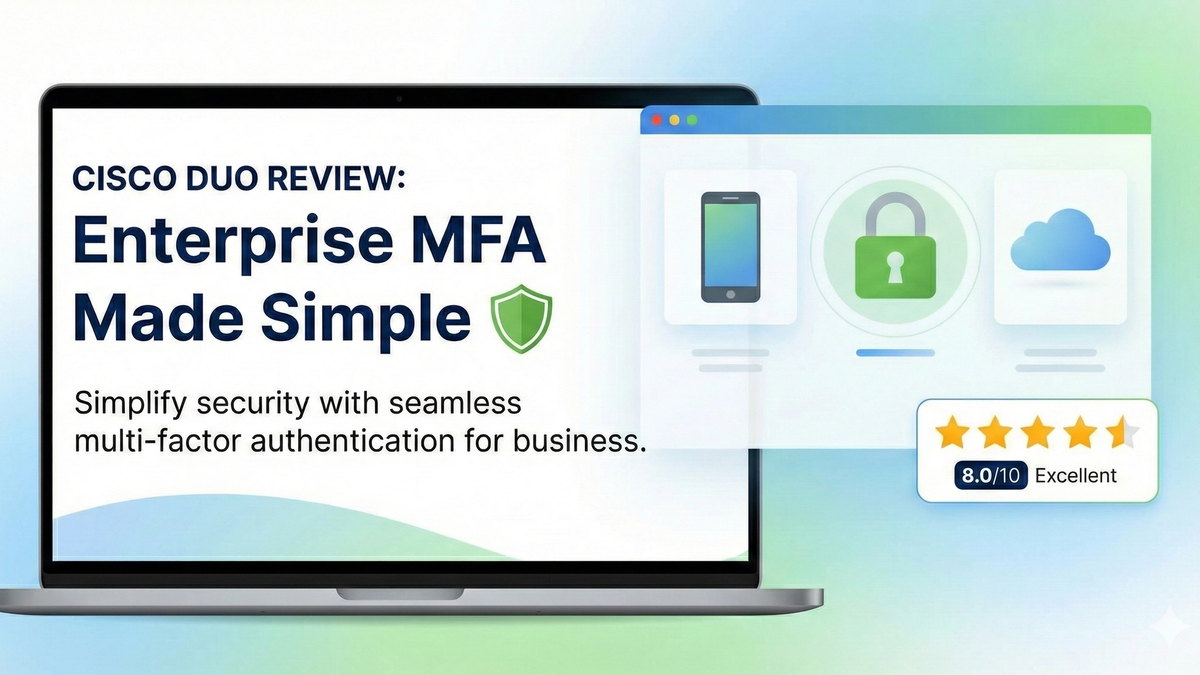
Cisco Duo Review: Enterprise MFA Made Simple
Cisco Duo delivers robust multi-factor authentication with one of the smoothest user experiences in the enterprise MFA space. While pricing can escalate quickly for larger teams, its device trust and adaptive policies make it a solid choice for security-conscious organizations.